What You'll Learn
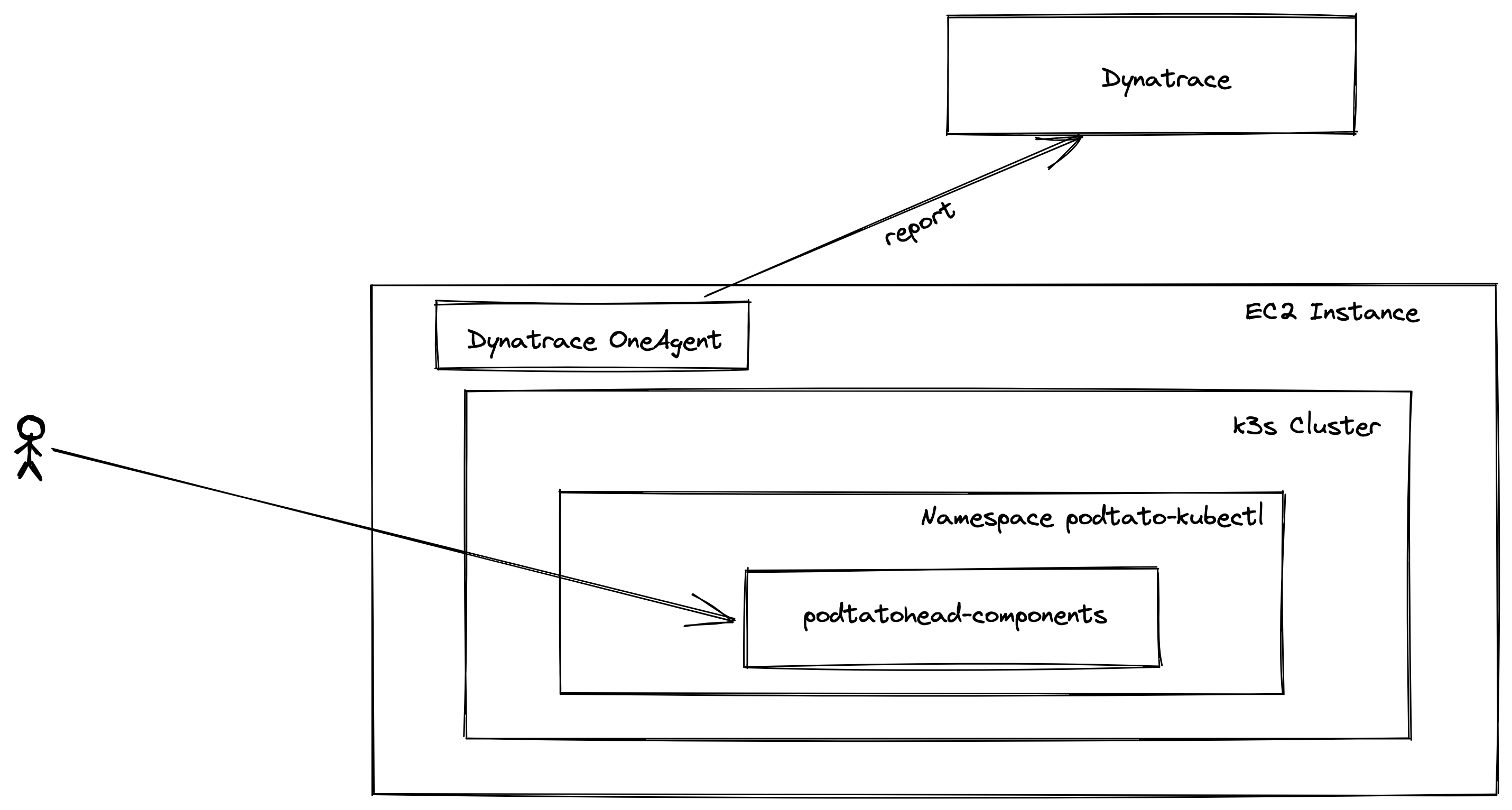
- Set Up an AWS Instance
- Install K3s
- Install Dynatrace Agent
- Install a Microservice Application on K3s
- Inspect Monitoring of the Application
- Open the AWS Console
- Search for EC2
- Click on Launch Instances
- Step 1: Choose an Amazon Machine Image (AMI)
- Amazon Linux 2 AMI (HVM), SSD Volume Type (x86)
- Step 2: Choose an Instance Type
- Step 3: Configure Instance Details
- Step 4: Add Storage
- Step 5: Add Tags
- Step 6: Configure Security Group
- Create New Security Group
- Security Group Name: podtatohead-http-in
- Add Rules
- Type: HTTP
- Type: HTTPS
- Rest Default
- Review and Launch
- Launch
- Select an existing key-pair or create one
- Launch instance
- Prerequisites:
- Open a Shell
- Ensure that aws-cli is configured
cat ~/.aws/credentials
aws ec2 describe-instances
- You should see all EC2 Instances (in our case one)
- Query the Instance Name
aws ec2 describe-instances --filters "Name=tag:Name,Values=podtatohead-oauth" --query "Reservations[].Instances[].PublicDnsName" --out text | xargs
[
    "<instance-name>.compute-1.amazonaws.com"
]
- Put the Instance Name in a Variable
INSTANCE_HOSTNAME=$(aws ec2 describe-instances --filters "Name=tag:Name,Values=podtatohead-oauth" --query "Reservations[].Instances[].PublicDnsName" --out text | xargs)
- Get the instance hostname from the AWS console (Public IPv4 DNS or Public IPv4 Address)
- Open a shell
 ssh -i ~/.ssh/labsuser.pem ec2-user@${INSTANCE_HOSTNAME}

      __|  __|_  )
      _|  (     /   Amazon Linux 2 AMI
     ___|\___|___|

 https://aws.amazon.com/amazon-linux-2/
- Open Dynatrace
- Click on "Manage -> Deploy Dynatrace"
- Start Installation
- Select "Linux"
- "Create PaaS Token"
- Copy the Download Link, paste it to the shell of your VM and execute it
- Set "Custom Host Name" to your Student ID
- Copy the installer execution command and run it on your vm as root (
sudo)
- Wait until you see your host in Dynatrace ("Infrastructure -> Hosts")
- Open a shell to your host
- Install K3s
sudo -i
curl -sfL https://get.k3s.io | INSTALL_K3S_EXEC="server --no-deploy=traefik" sh -s -
export PATH=$PATH:/usr/local/bin
- Check if everything your k3s node is up
kubectl get nodes

NAME                            STATUS   ROLES                  AGE   VERSION
ip-172-31-12-239.ec2.internal   Ready    control-plane,master   18s   v1.22.7+k3s1
- Open a shell to your host
- Install the Manifest
kubectl apply -f https://raw.githubusercontent.com/fhb-codelabs/sample-code-repo/master/manifests/podtato-kubectl.yaml
- Wait until all pods are ready (
kubectl get pods -n podtato-kubectl)
- Open PodTatoHead (http://your-ip-address)
- Open Dynatrace
- Inspect:
- Infrastructure -> Hosts
- Applications and Microservices -> Service -> entry
- Service Flow
- Distributed Traces
- Observe and explore
- Whatever you like